
Client: BT
Role: Senior UX Designer
Duration: 6 Months
Tools: Pen & Paper, Figma, Google analytics, Miro,
Responsibilities: User Interviews / Facilitated Stakeholder meetings / User Journeys / Empathy mapping / Contextual interviews / Information Architecture / Site Mapping / Competitive & Comparative analysis / Content auditing / Presentation scriptwriting & design / User Testing / User interface design / Low & High Fidelity Wire-framing prototyping / Data Analysis / New component builds for design system /
The Client
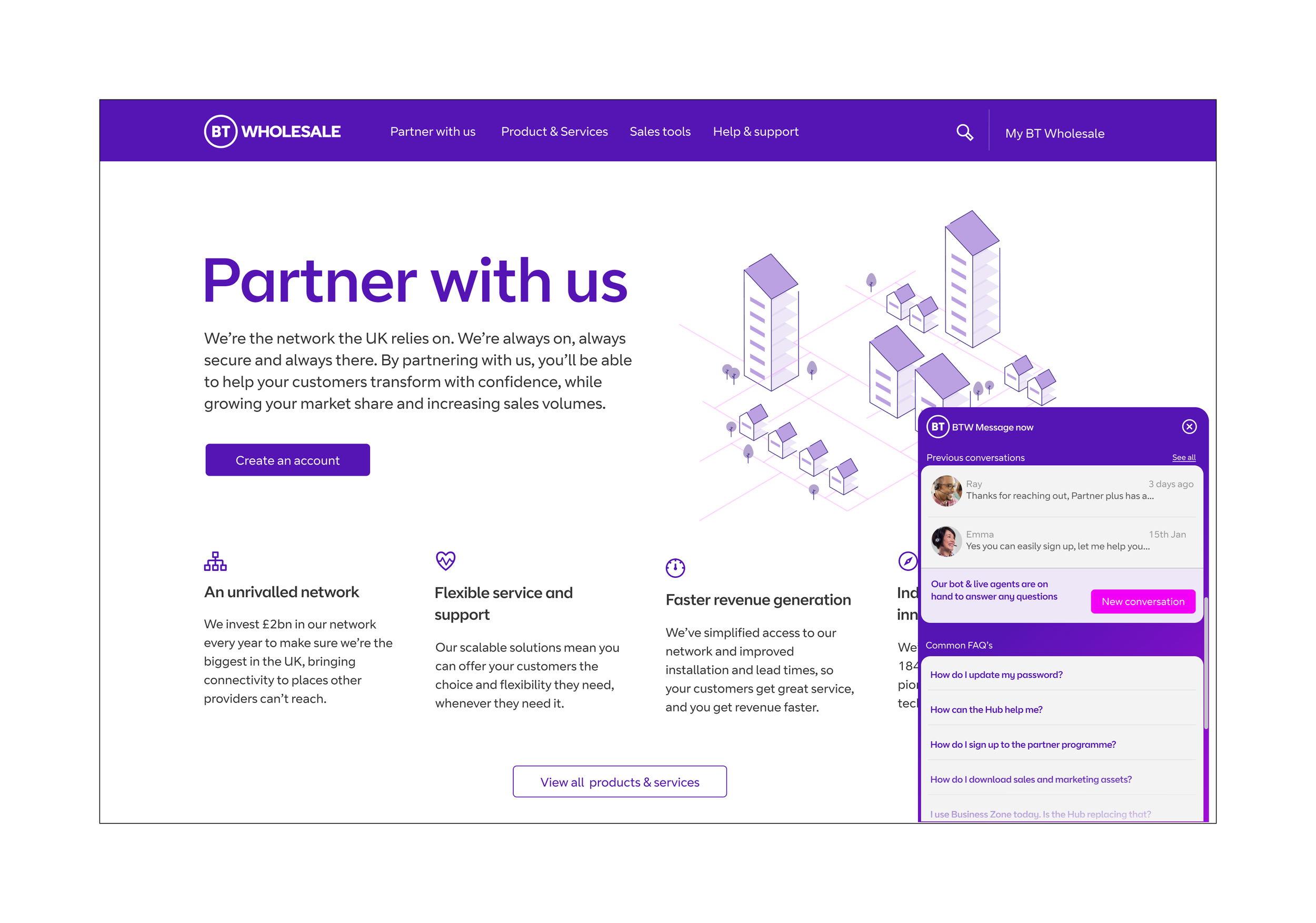
BT Wholesale is a subsidiary of BT Group, a multinational telecommunications company based in the United Kingdom. BT Wholesale provides a range of telecommunications products and services to other businesses and service providers.
The company operates one of the largest telecommunications networks in the UK, offering services such as leased lines, broadband connectivity, IP telephony, and managed network solutions. It also provides mobile network services, including SIM cards and mobile connectivity products.
BT Wholesale serves a wide range of customers, including internet service providers, mobile network operators, and other telecommunications service providers. Its products and services are used by businesses of all sizes, from small startups to large corporations.
Overall, BT Wholesale plays a significant role in the telecommunications industry in the UK, providing critical infrastructure and services that enable other businesses to connect and communicate with their customers and partners.
The Challange
Our Challenge was digest, understand, study and employ the three months worth of Contextual research and user interviews conducted by the previous contract team to improve the ‘Raise a fault’ journey for our BT wholesale customers. We conducted further research via additional reseller customer interviews, competitor and comparative analysis as continued usability testing of the most recent journeys. From this data we were able to create more refined user persona’s and empathy maps which would assist us in developing a more streamlined and user friendly experience for the customer.
The Solution
BT Wholesale's business customers can now report service faults to BT seamlessly and efficiently, thanks to a redesigned journey based on research insights. By eliminating unnecessary steps, enabling fast input and editing of fault tickets, we have been able to minamise human error which has enabled customers to now be able to stay informed on the progress of ongoing faults, cutting out the need to chase BT Wholesale engineers. This new communication process overhaul has empowered BT Wholesale's B2B customers to handle their own customer inquiries more efficiently.
01/DISCOVERY
Kick off
Stakeholder meeting
The current journey BT wholesale customers are having to go through to raise a fault on one of their products is long winded, often ineffective and doesn’t align with the new design system. The frustrations for customers are impacting our client retainment figures and delivering poor customer service results which are pushing customers away from using our products.
Why?
Listen
Simplify the journey.
Align visuals with new BT Wholesale Design System.
Need a more human centred approach.
Create a more flexible form entry system.
What?
Remove diagnostic questions which are often irrelevant
Add a record of who the fault is being raised for - highlight customers for resellers who often have many clients.
Remove the ability for customer to self determine case priority.
Increase the number of characters in the notes section of the form
Simplify the form entried.
How?

Review of current journey
Raising a Ticket in Business Zone
-
![]()
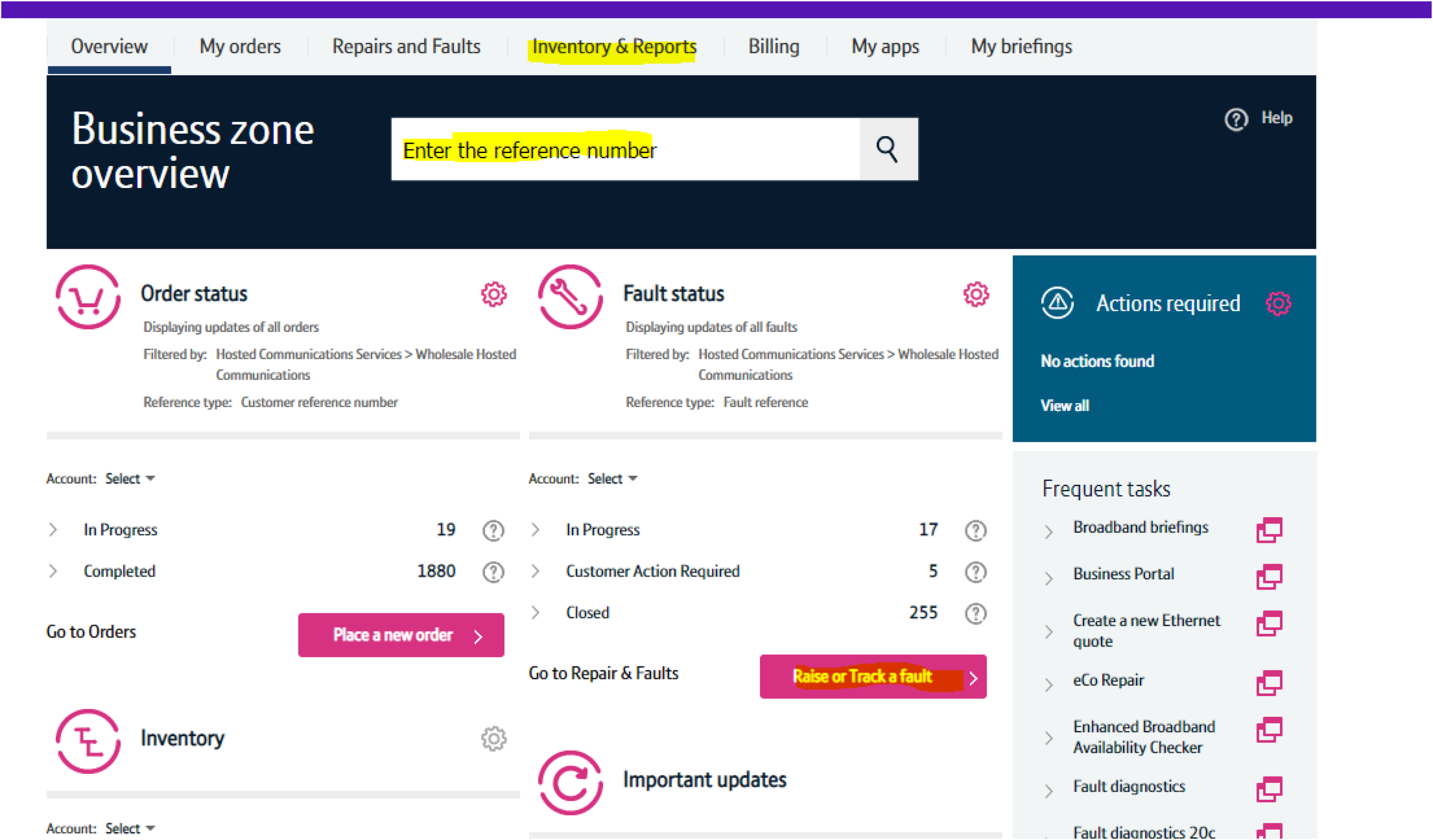
Step 1
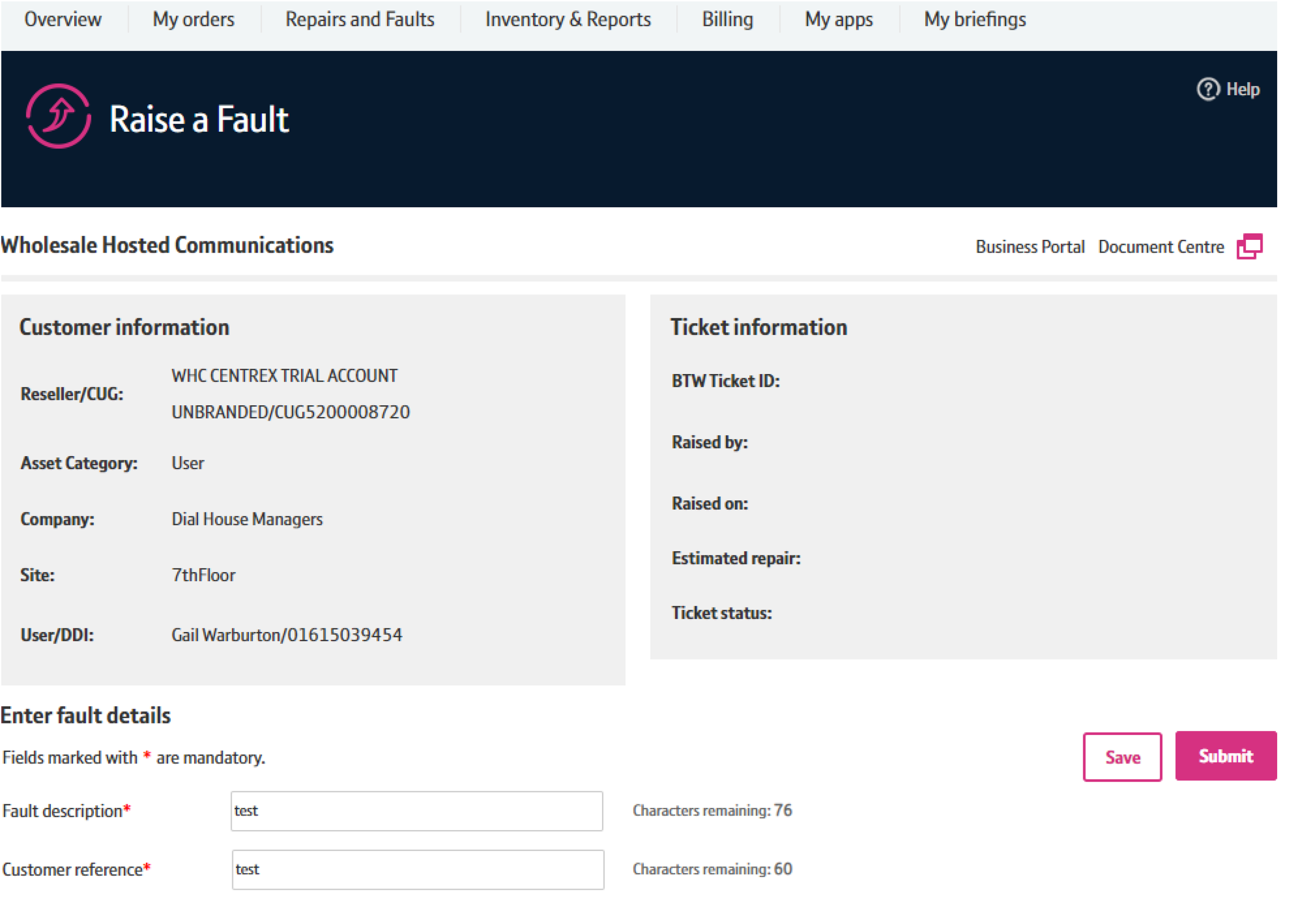
Log into btwholesale.com and if you have the correct profile you will be taken to Business Zone From there search for the asset.
This could be at Company, Site, User level or against a Broadband Complete asset There are various options, as highlighted below, from where a ticket can be raised from.
-
![]()
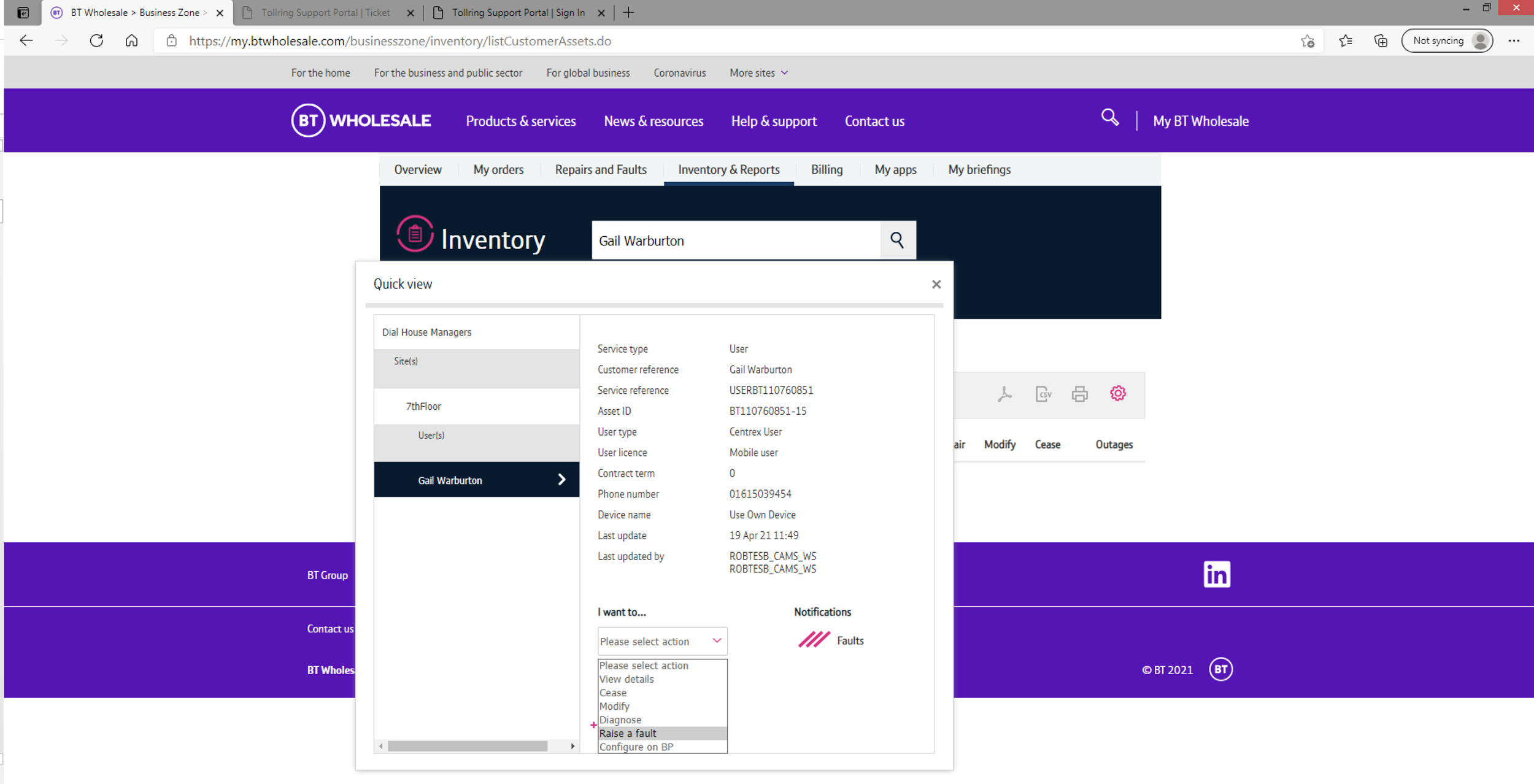
Step 2
In this example I have used the search facility within the Inventory From the Quick view screen select ‘Raise a fault’ from the I want to … dropdown
-
![]()
Step 3
You will be taken to the Raise a Fault page -it is just the one page, complete the fields as demonstrated on the remaining slides and submit. Very simple and quick.
-
![]()
Step 4
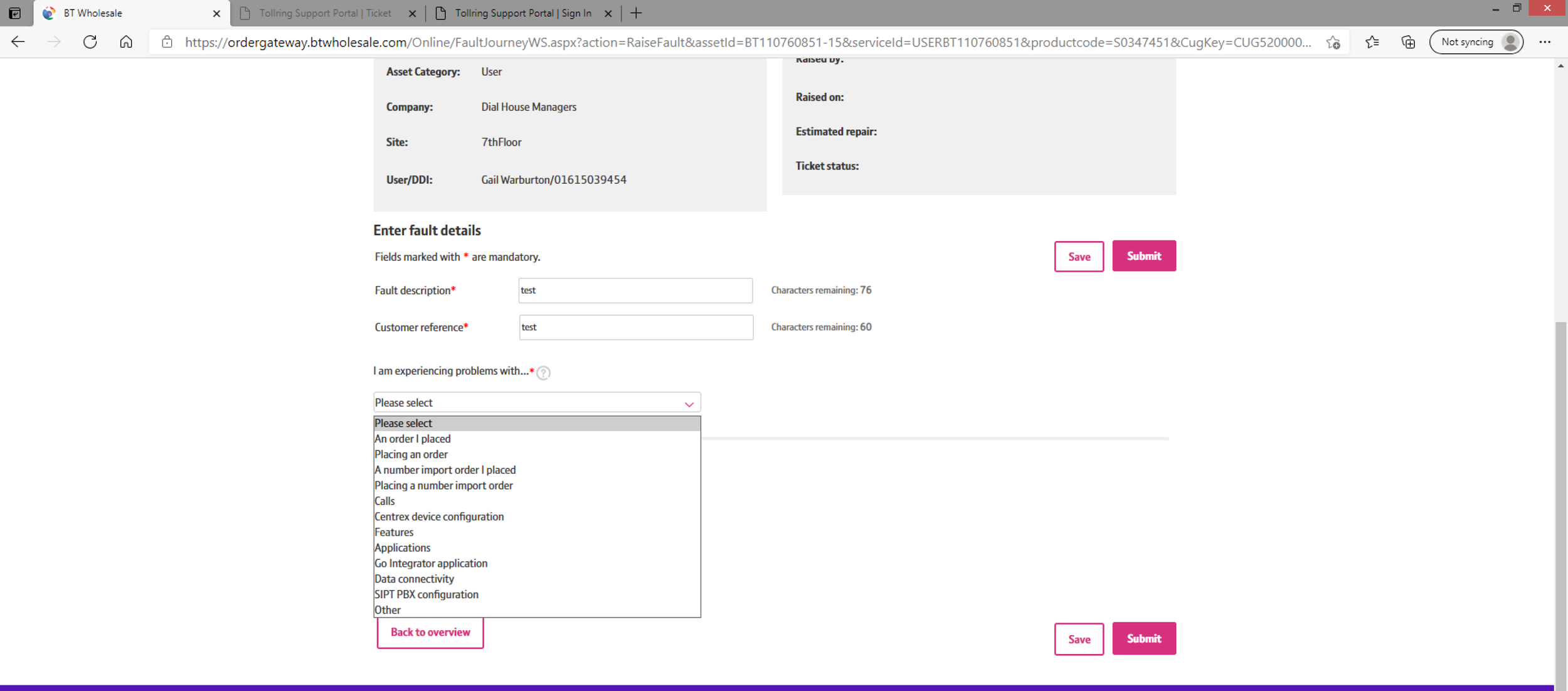
Select one of the options from the ‘I am experiencing problems with … ‘ dropdown Note the first two options will ensure the ticket is directed to the Provision team, the next two will go to the Porting team and the remainder (i.e. from Calls through to Other) will go to the Faults team.
-
![]()
Step 5
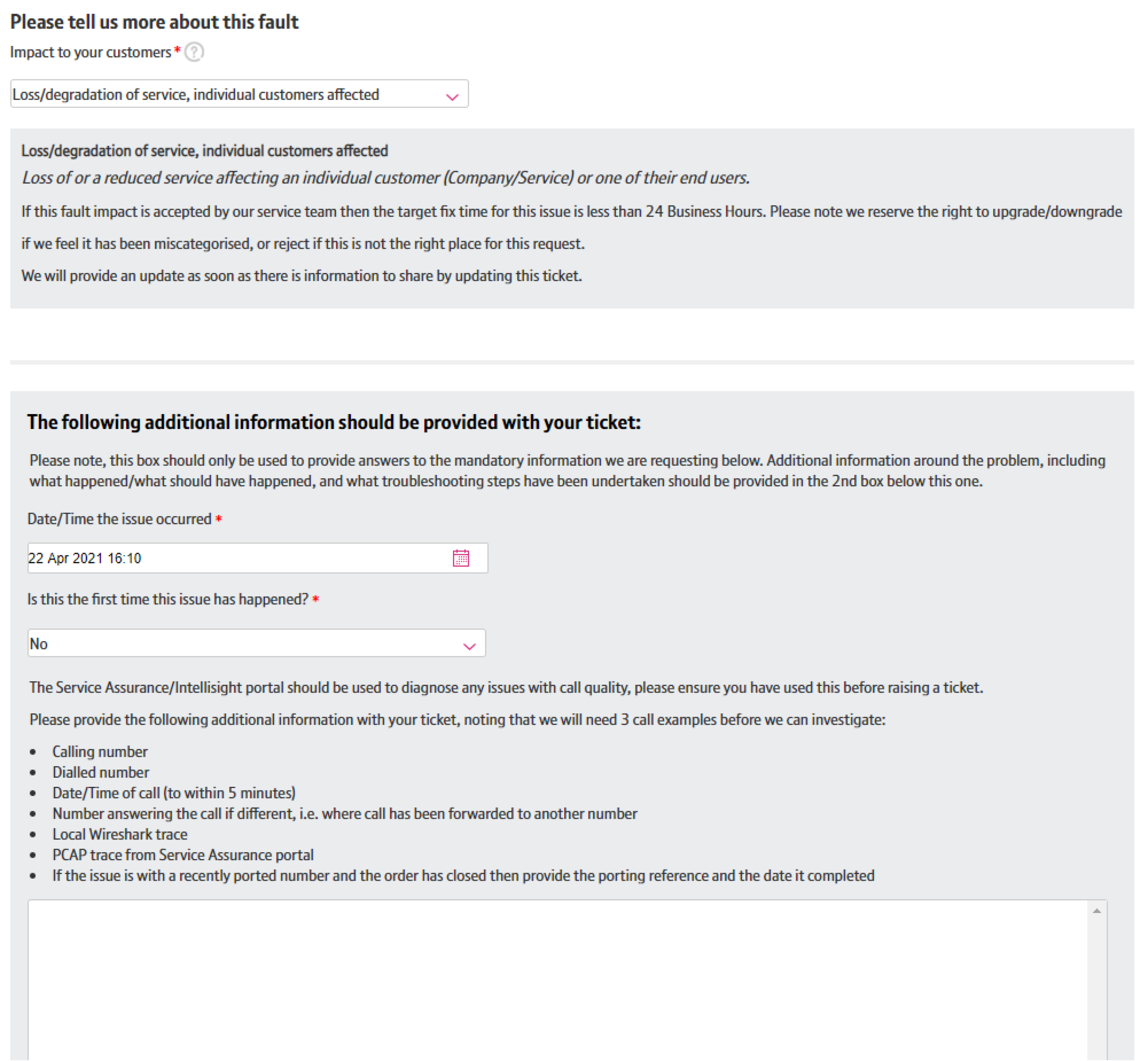
Select the Impact to your customers –there are 4 to choose from.
Select the Date/Time the issue occurred.
Confirm if this Is the first time this issue has happened?
Depending on the problem you have selected you will be asked to provide information pertinent to that issue.
-
![]()
Step 6
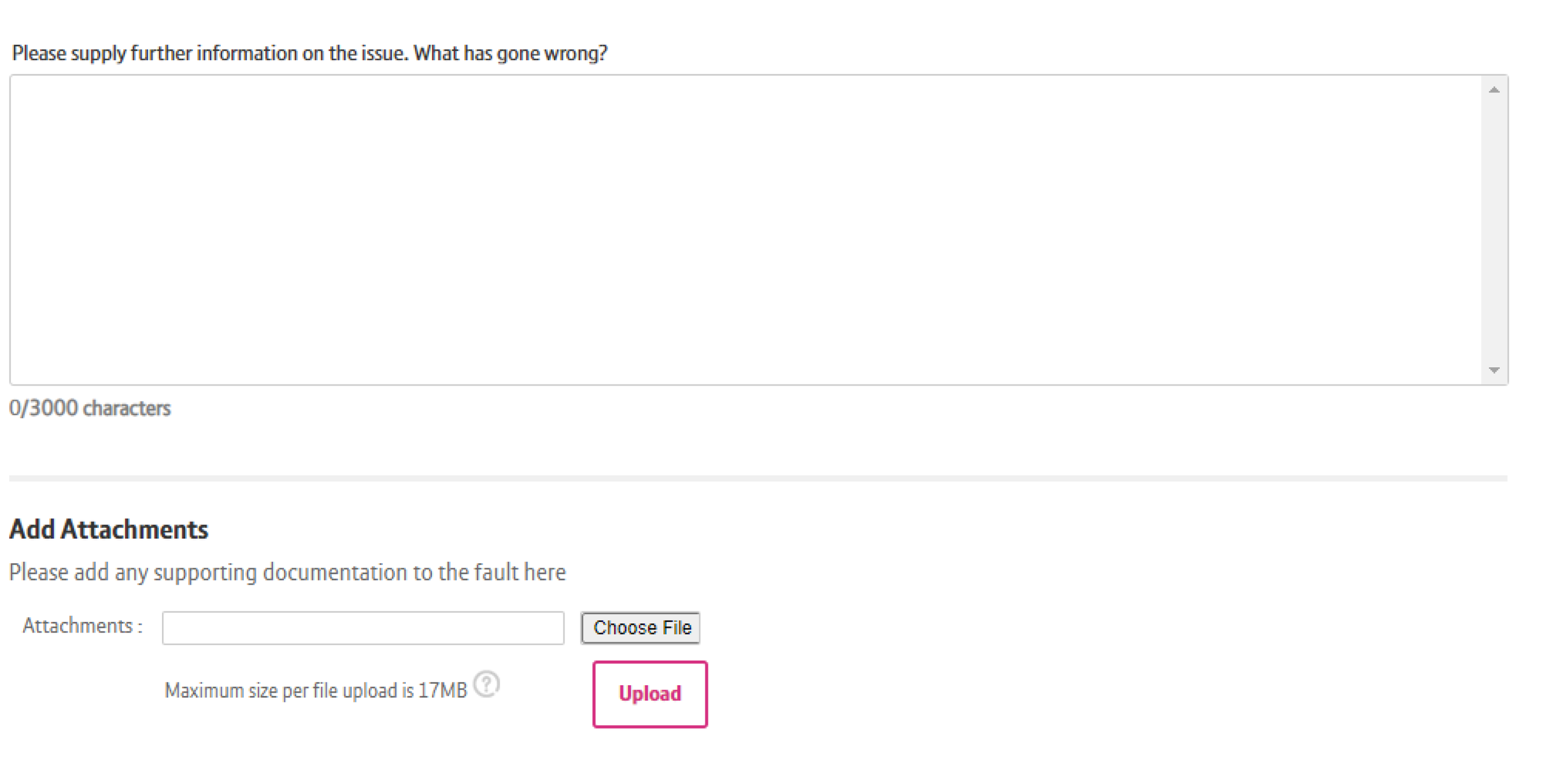
We have a further field where you can provide further information on the issue and Add Attachments if you wish.
-
![]()
Step 7
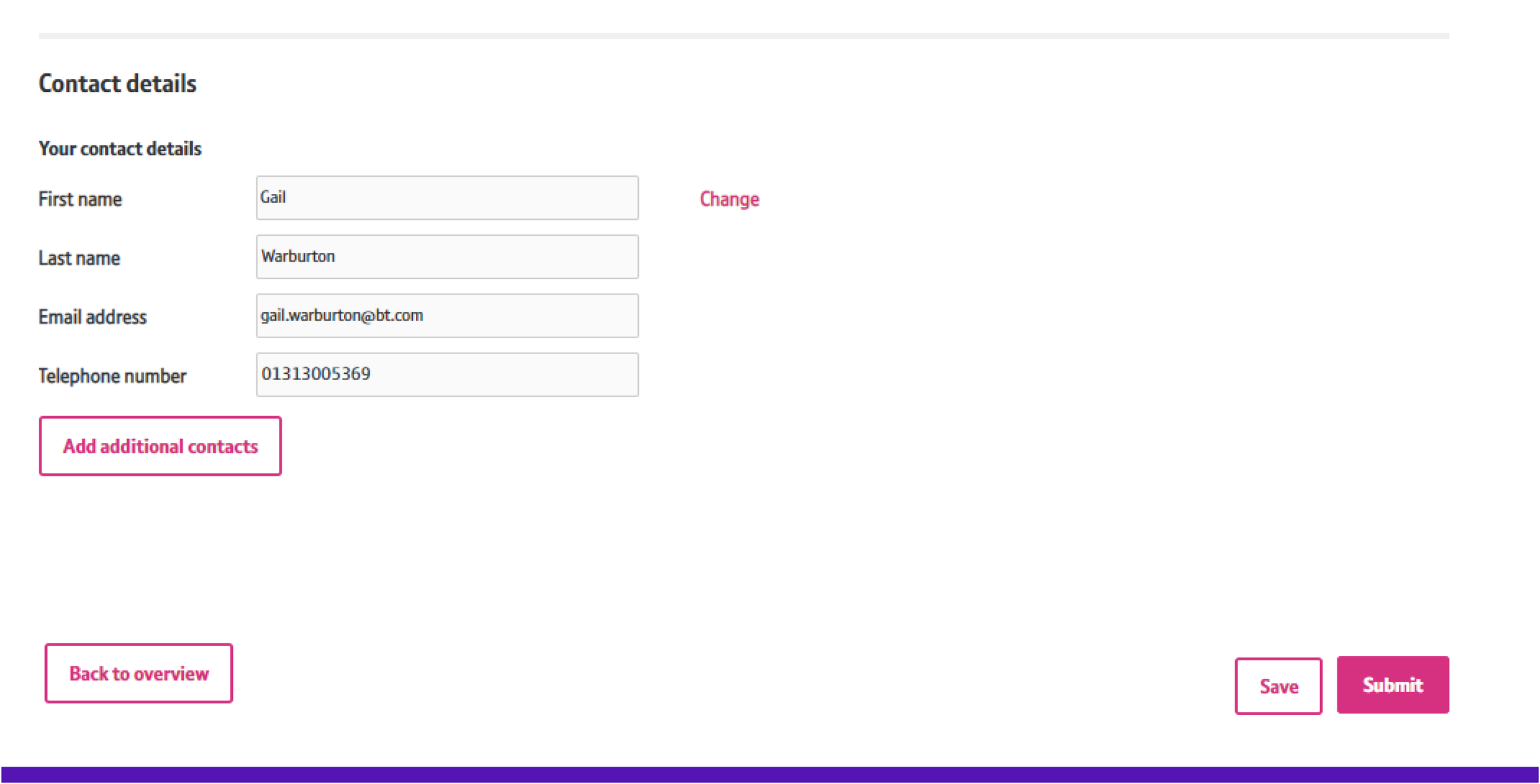
Lastly we come to the contacts. It will automatically prefill the Contact details of the person raising the ticket. You can change those details or add additional ones if you wish.
Lastly click on Submitand you will get a confirmation screen which will provide you with a fault reference (1-8010 ) and a KCI email will be sent to the contacts to confirm the fault reference too
Moderated User Research
Reseller interviews
We interviewed three customers who were familiar with the current Raise a fault journey to get a better understanding of what their Key Pain-points were and determine what improvements they felt would be beneficial to their user experience.
Below is the presentation slides for the research sessions.





Key insights
01/Inflexible system
02/Unable to get a human solution, limited to generated updates.
03/Need a review of the questions that you’re asking when capturing data.
i.e shouldn’t be asking question like..when was it installed?
04/Contact details – very inflexible.
05/Openreach, Eco etc – hardest to solve. Can’t call anyone.
06/When placing in service number…BT does online test to process the info.
07/Have to press refresh until it completes - poor heuristics.
08/Fault explanation is unclear
02/DEFINE
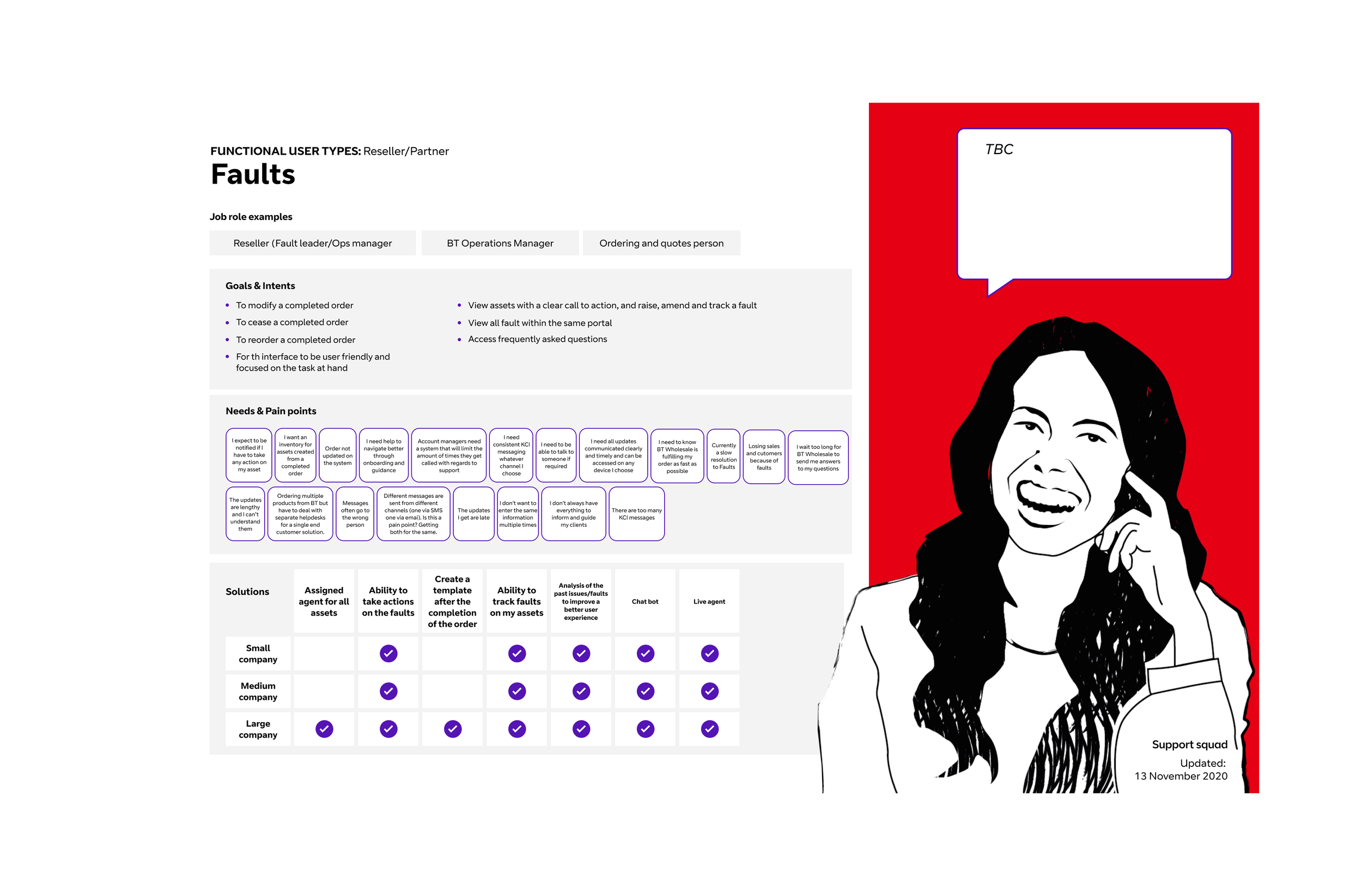
User Personas
From our user interviews we were able to create some user personas from which we could draw inspiration to ensure we were targeting the experience to the right user and maximising engagement to meet our stakeholders KPIs.
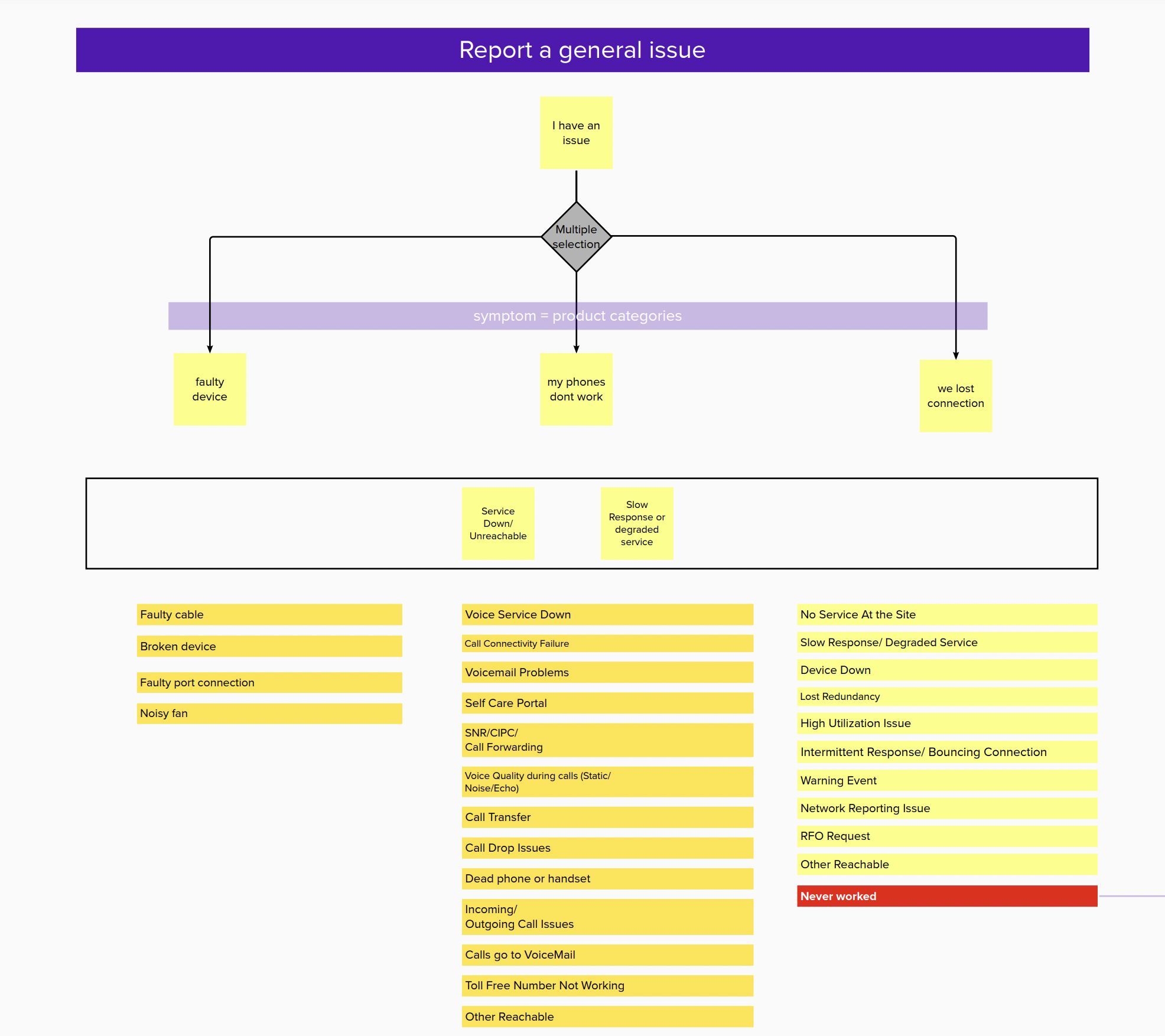
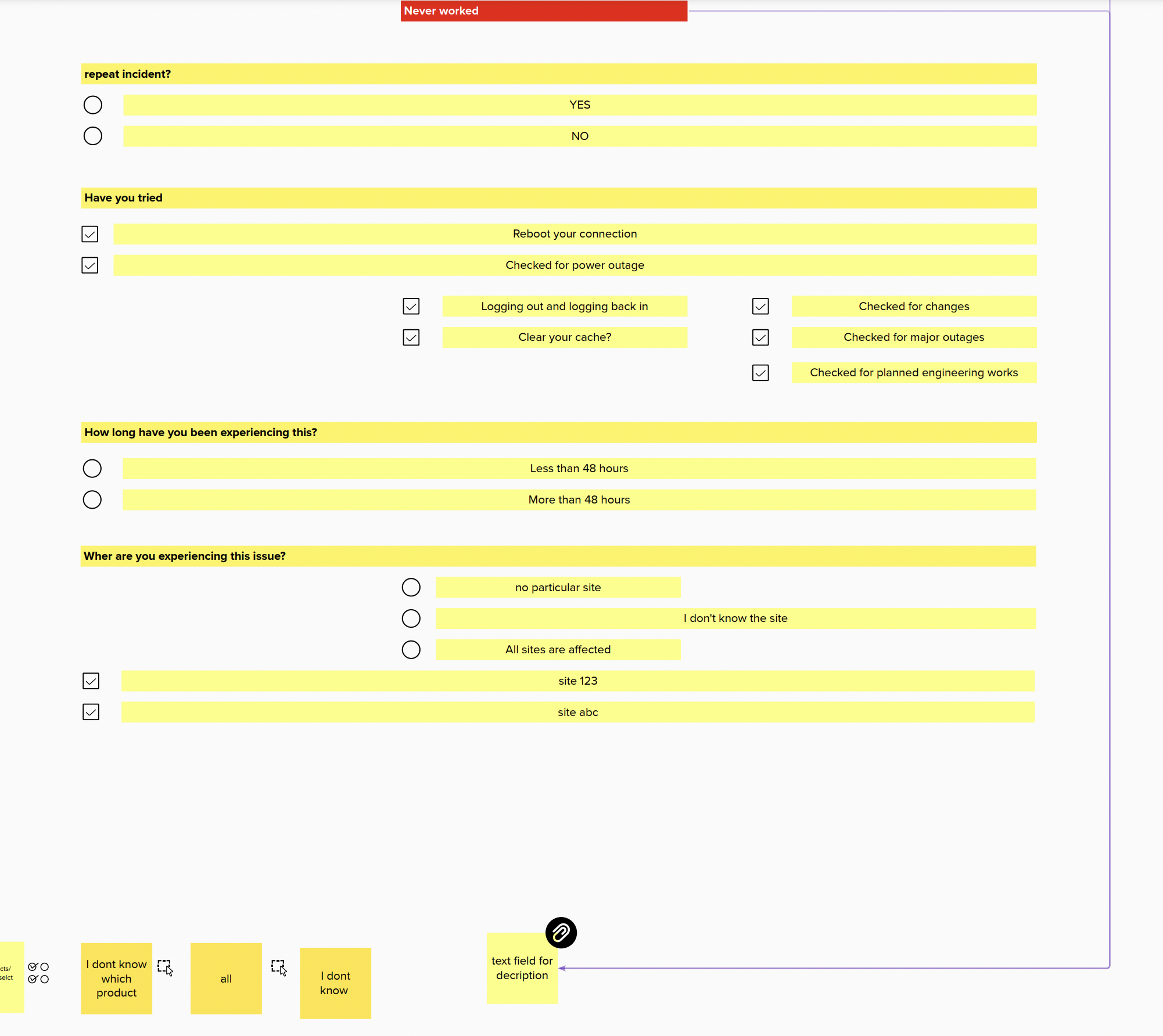
User flow for reporting a general issue
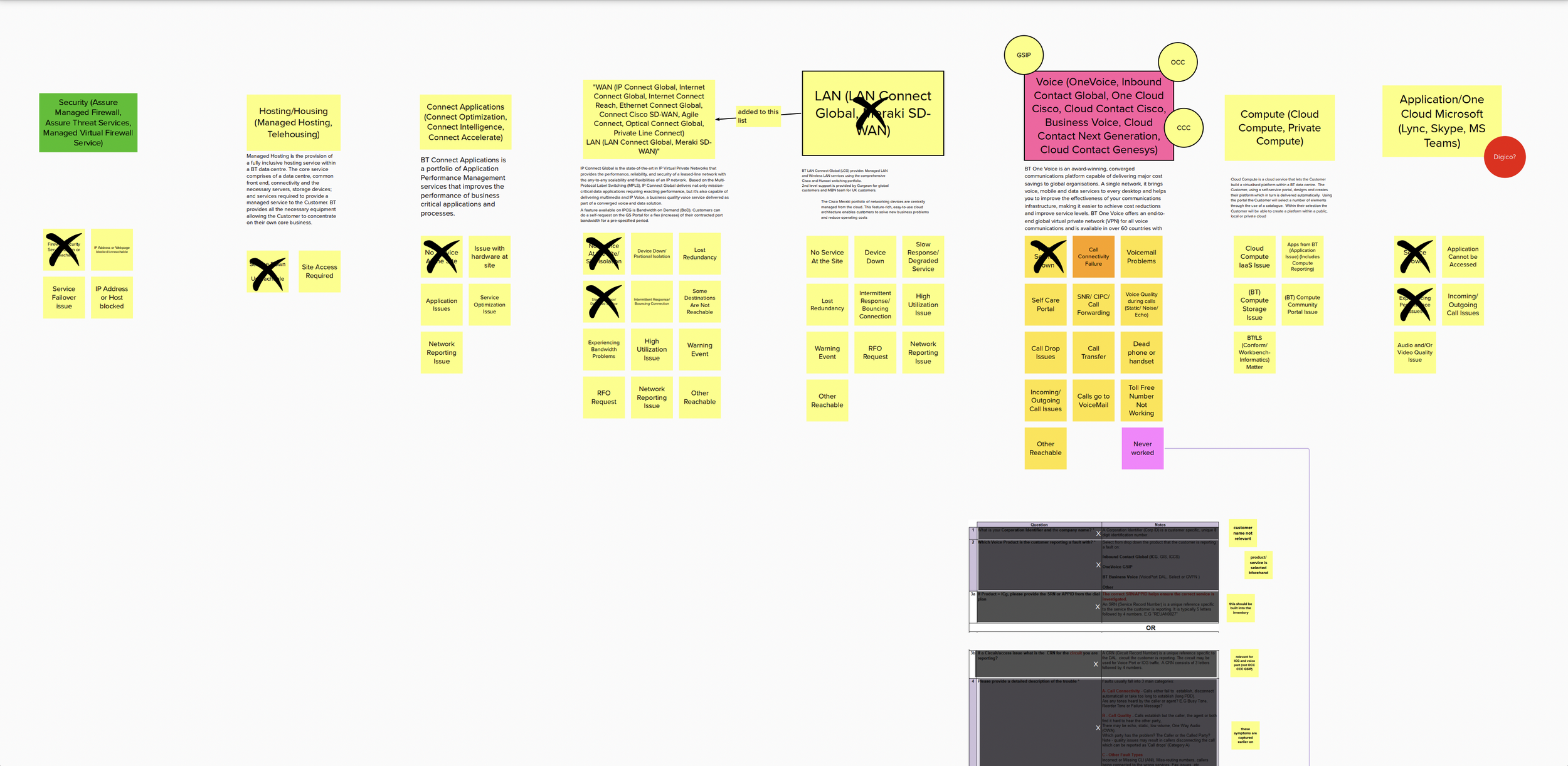
Ecosystem integration
Bt uses a complex system of multiple applications. These each house huge amounts of data that all need to seamlessly interact to enable the services to work. In this task we went through each application and identified any issues that were negatively impacting the user journey and from there were able to remove any redundant aspects of the service.
03/DESIGN
User Flow
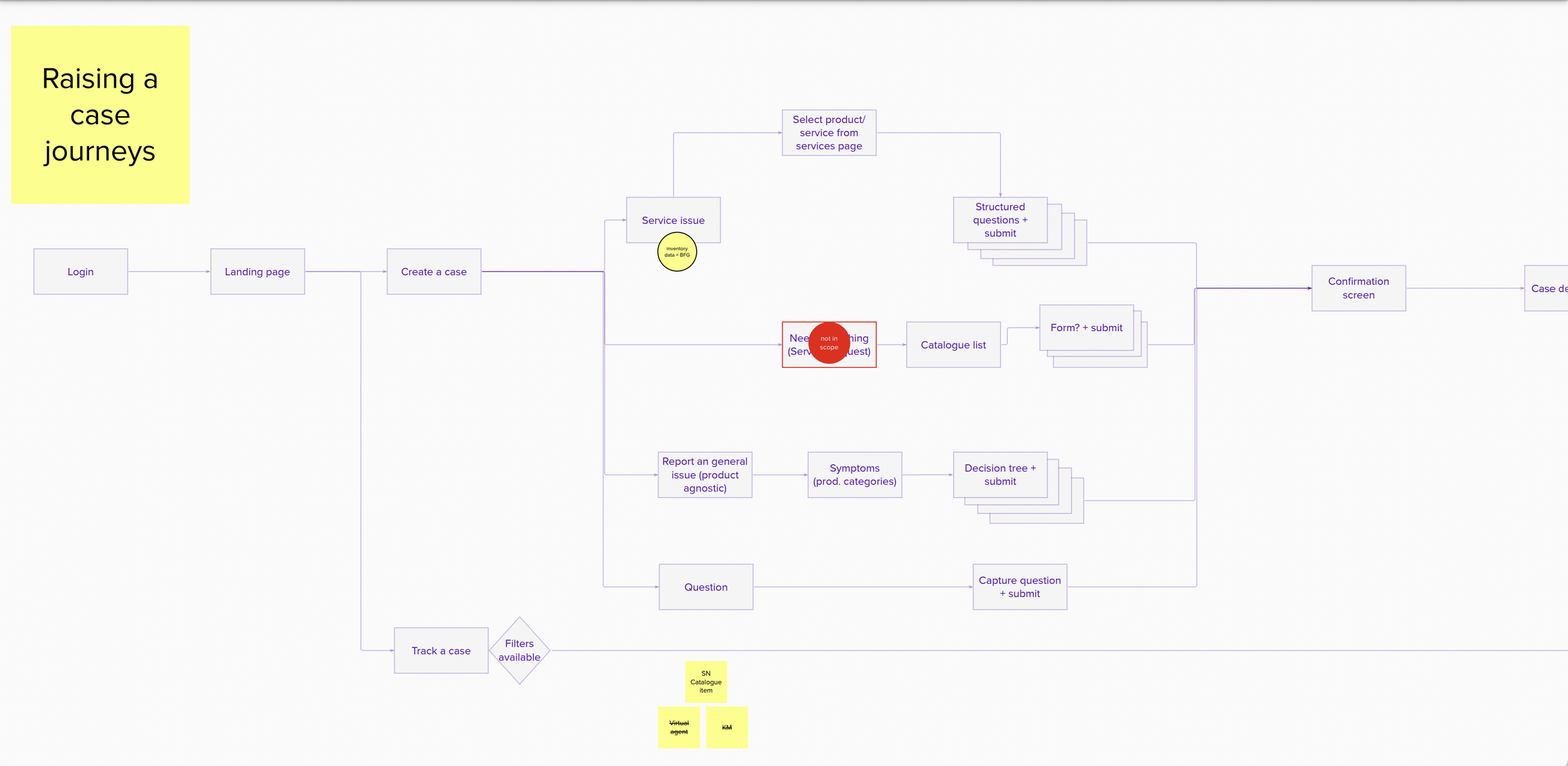
First design iterations for Desktop
-
![]()
Step 1
Open cases Landing Page
-
![]()
Step 2
Raise a case - form
-
![]()
Step 3
Case Summary
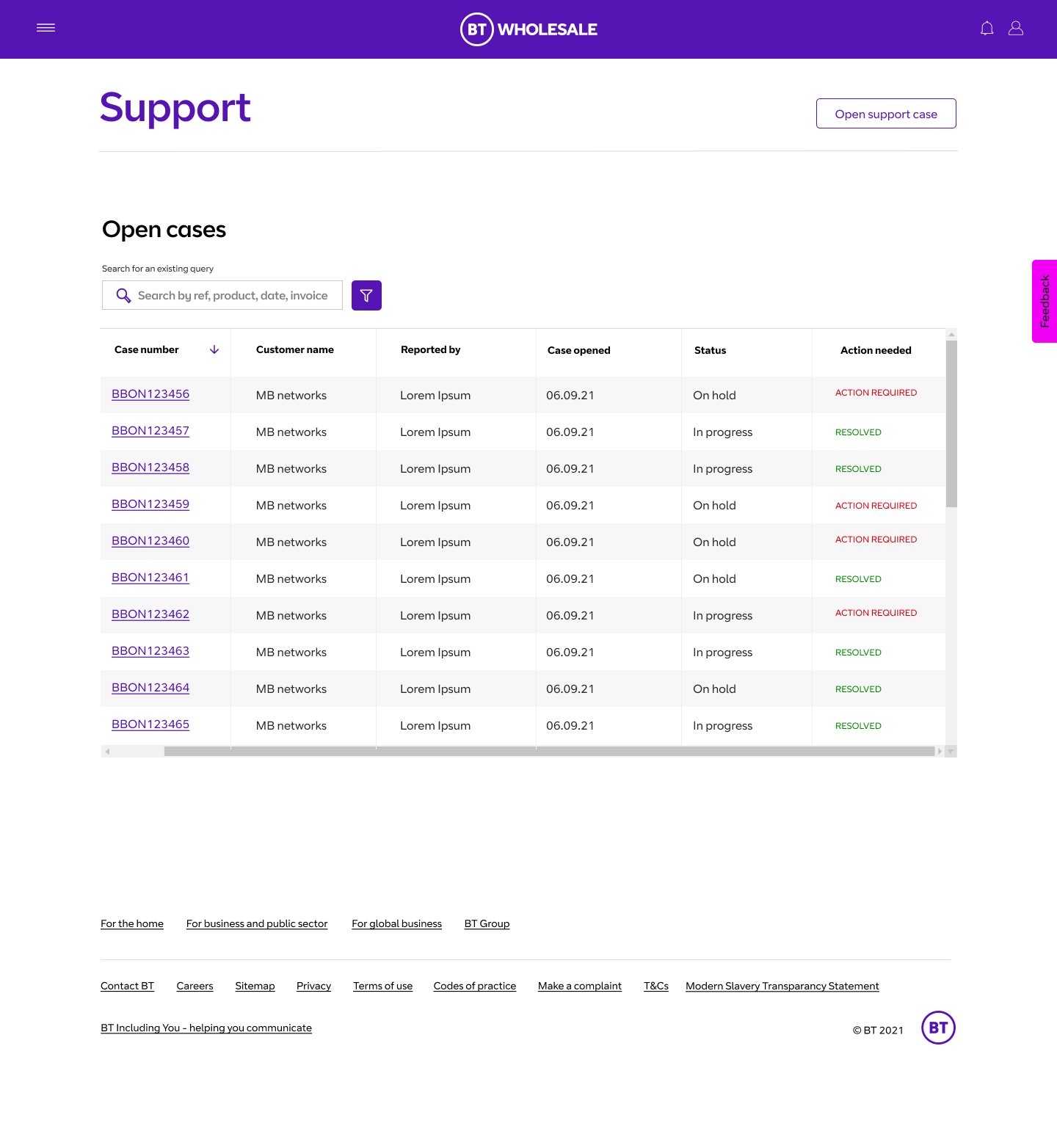

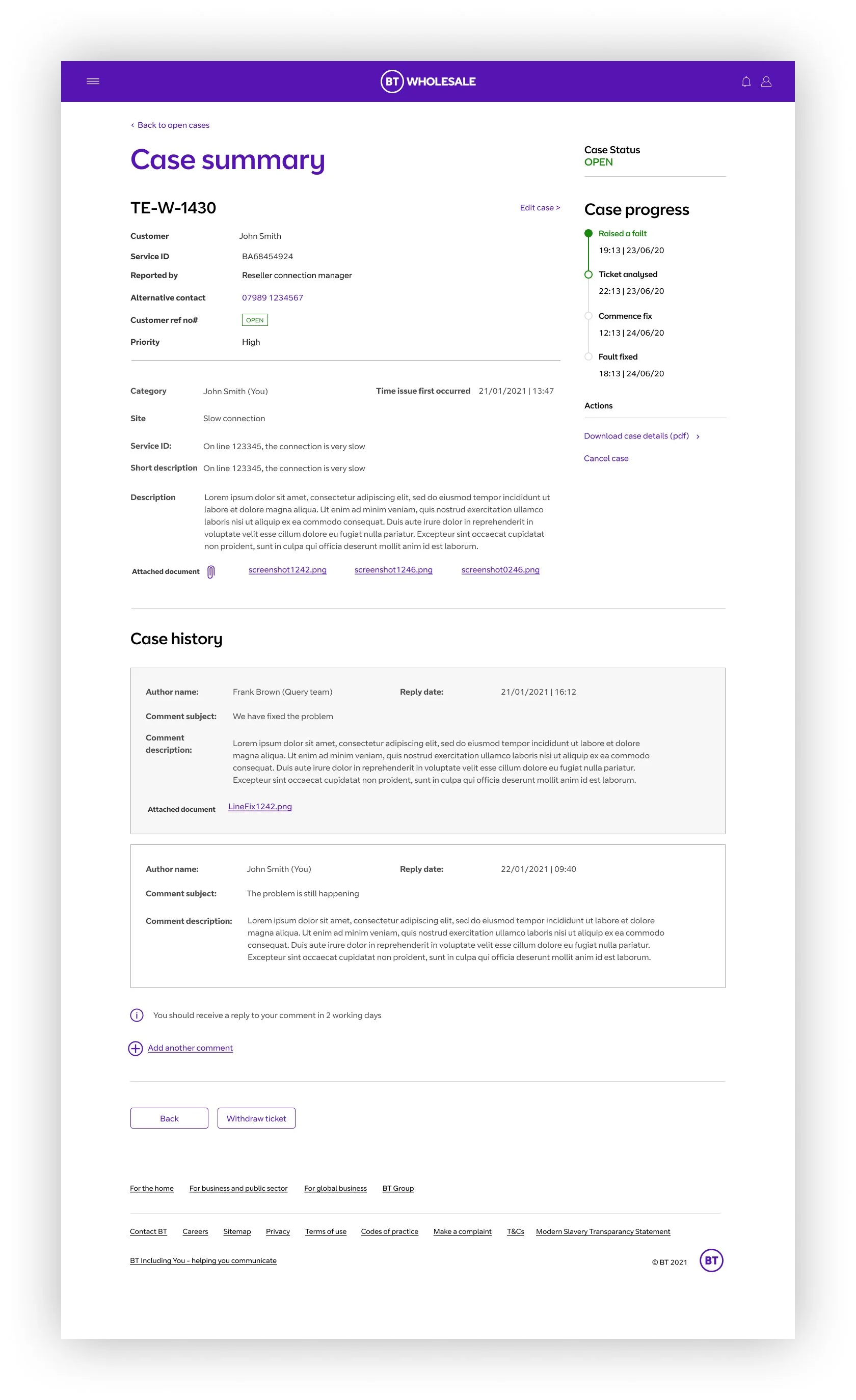
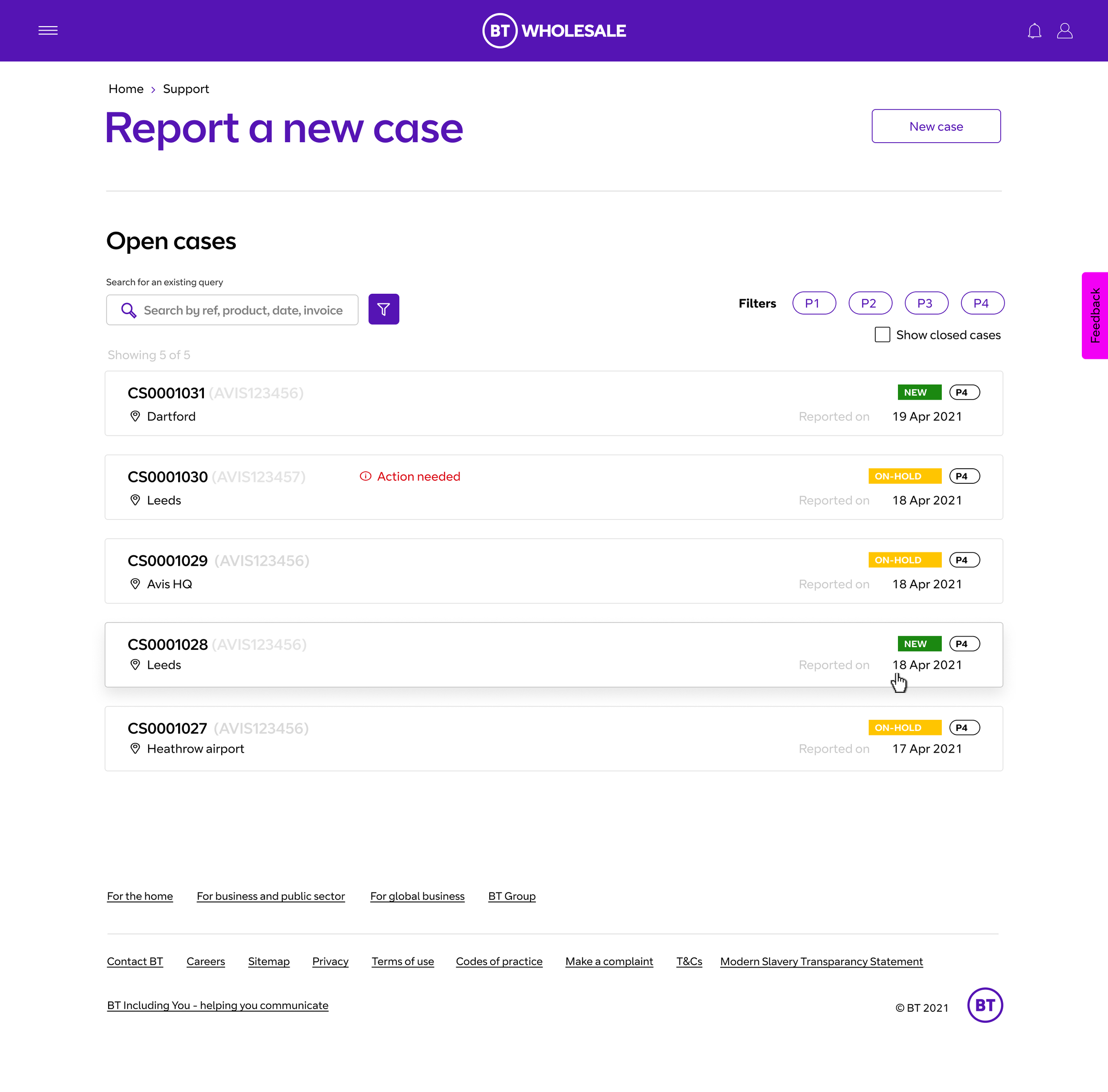
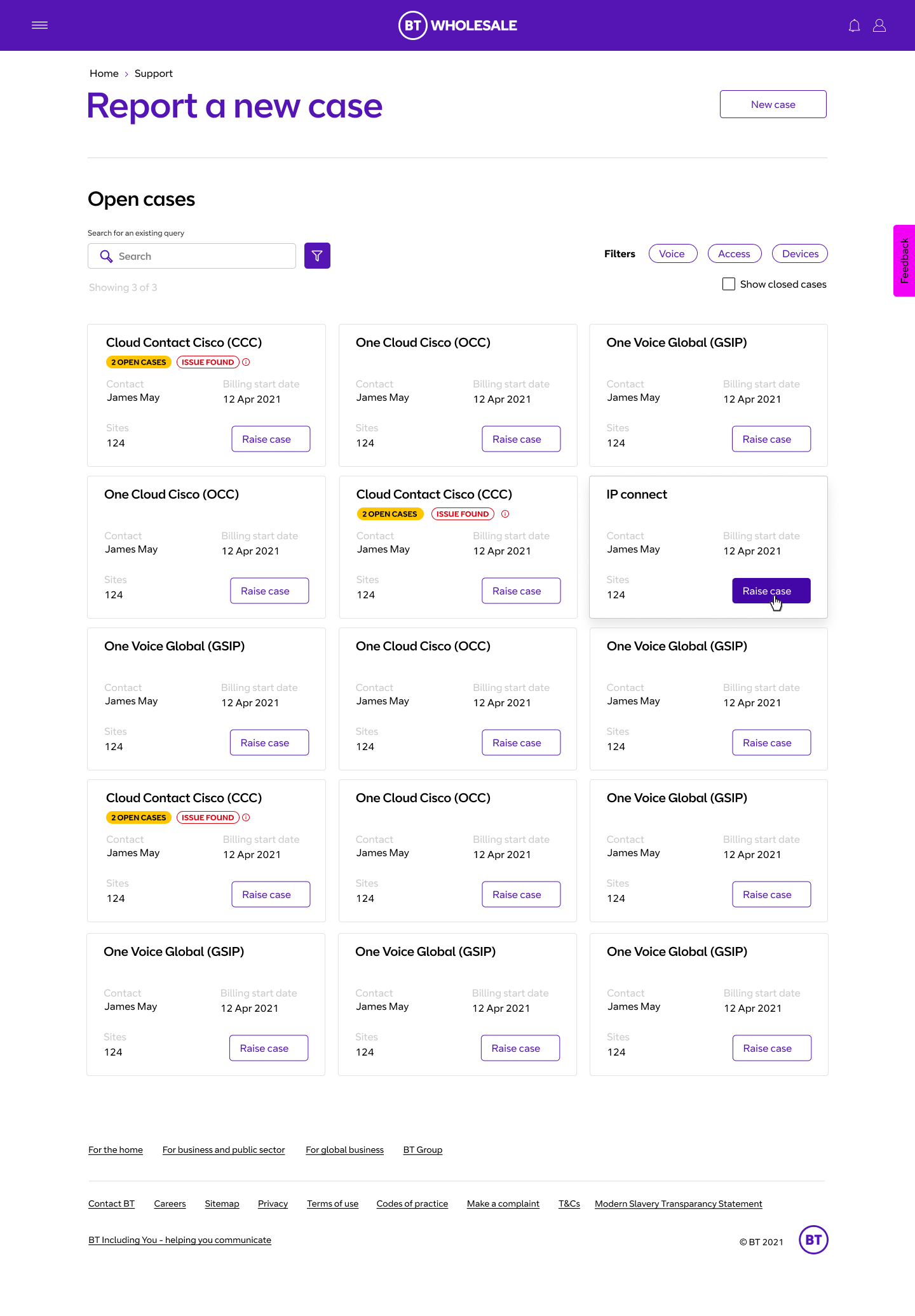
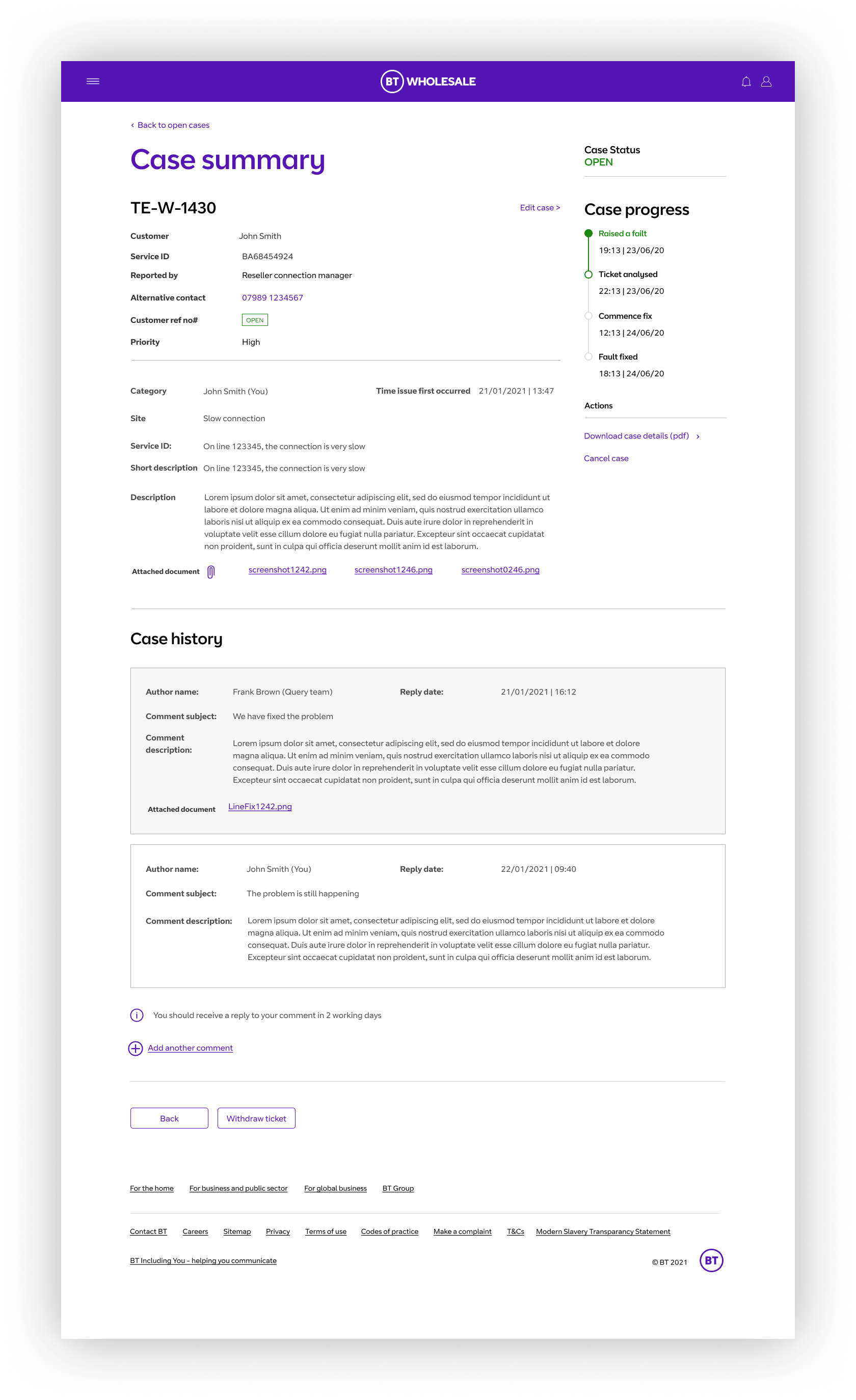
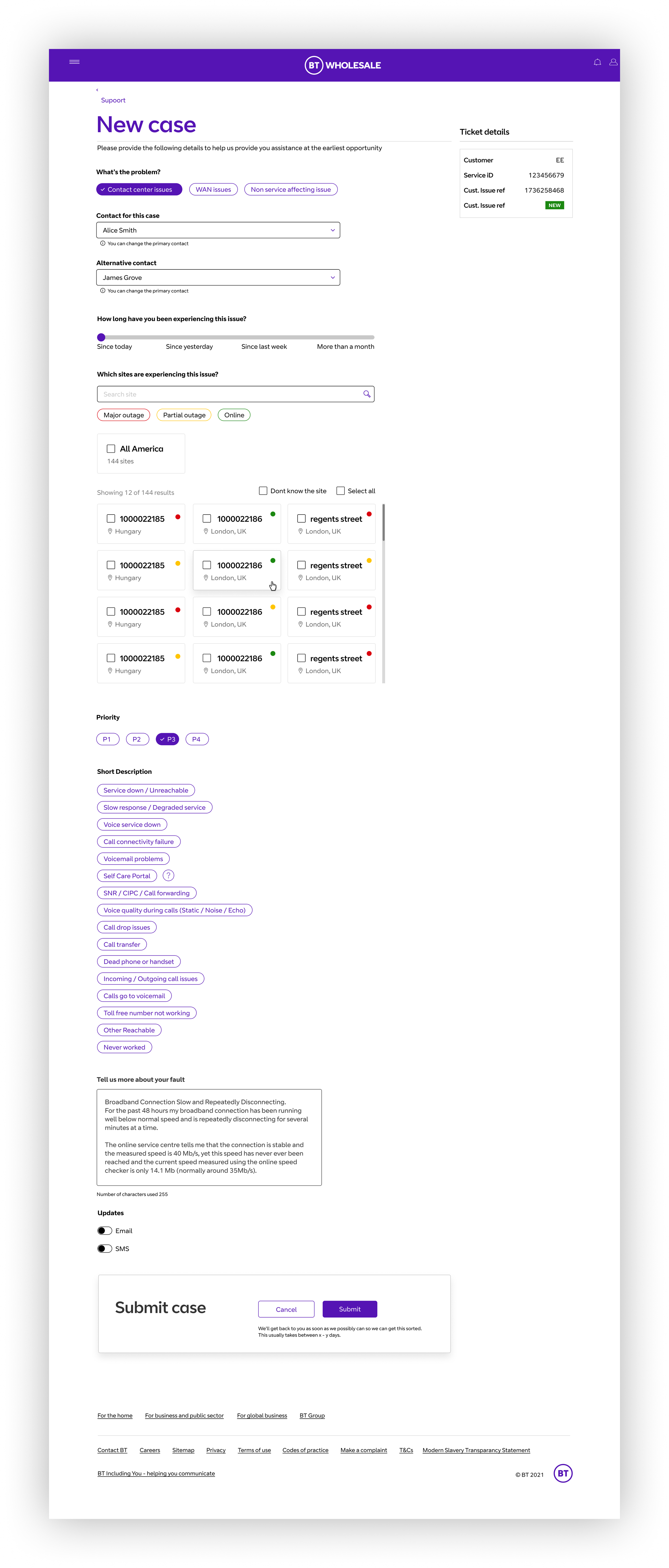
Final High fidelity wireframes
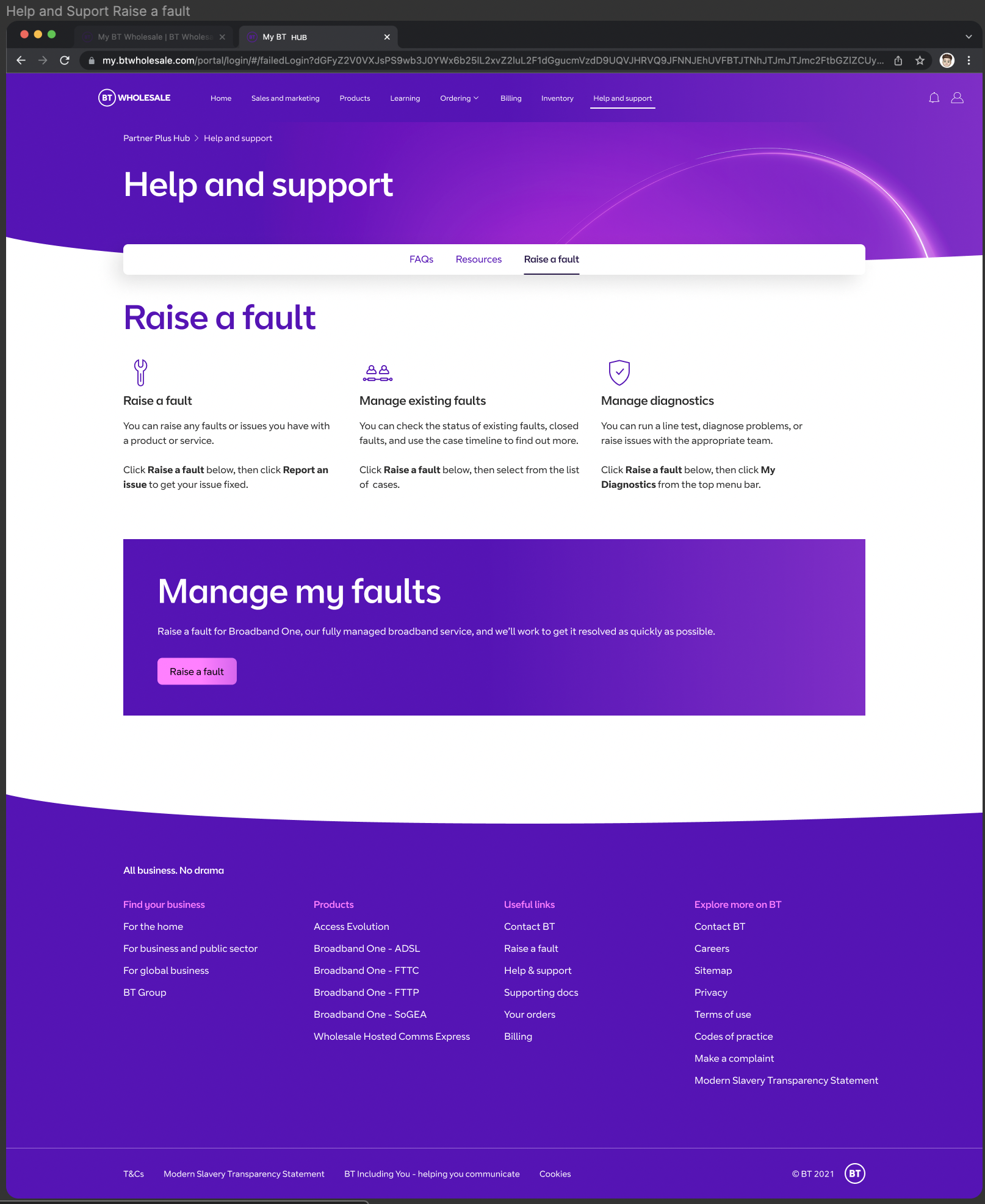
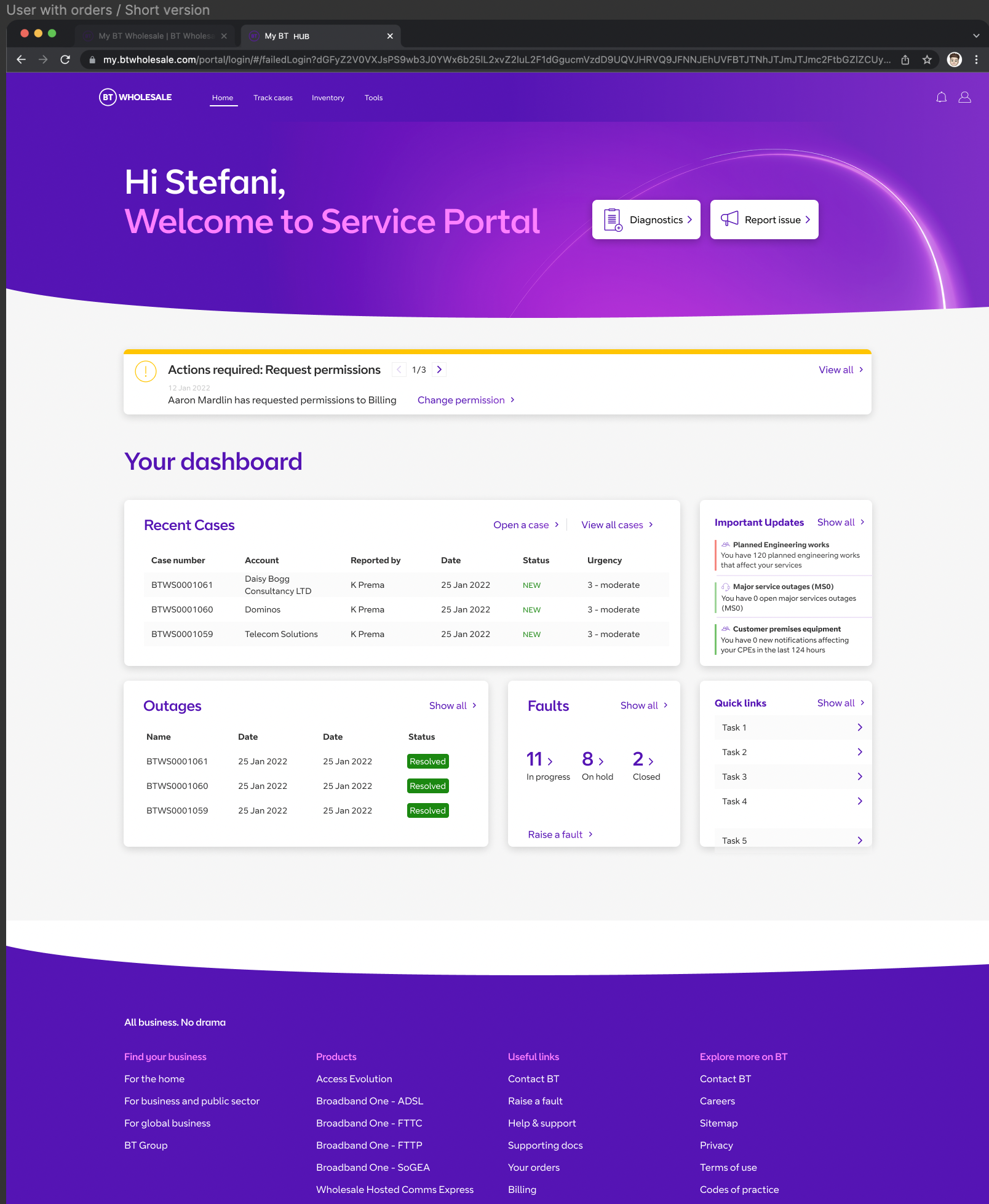
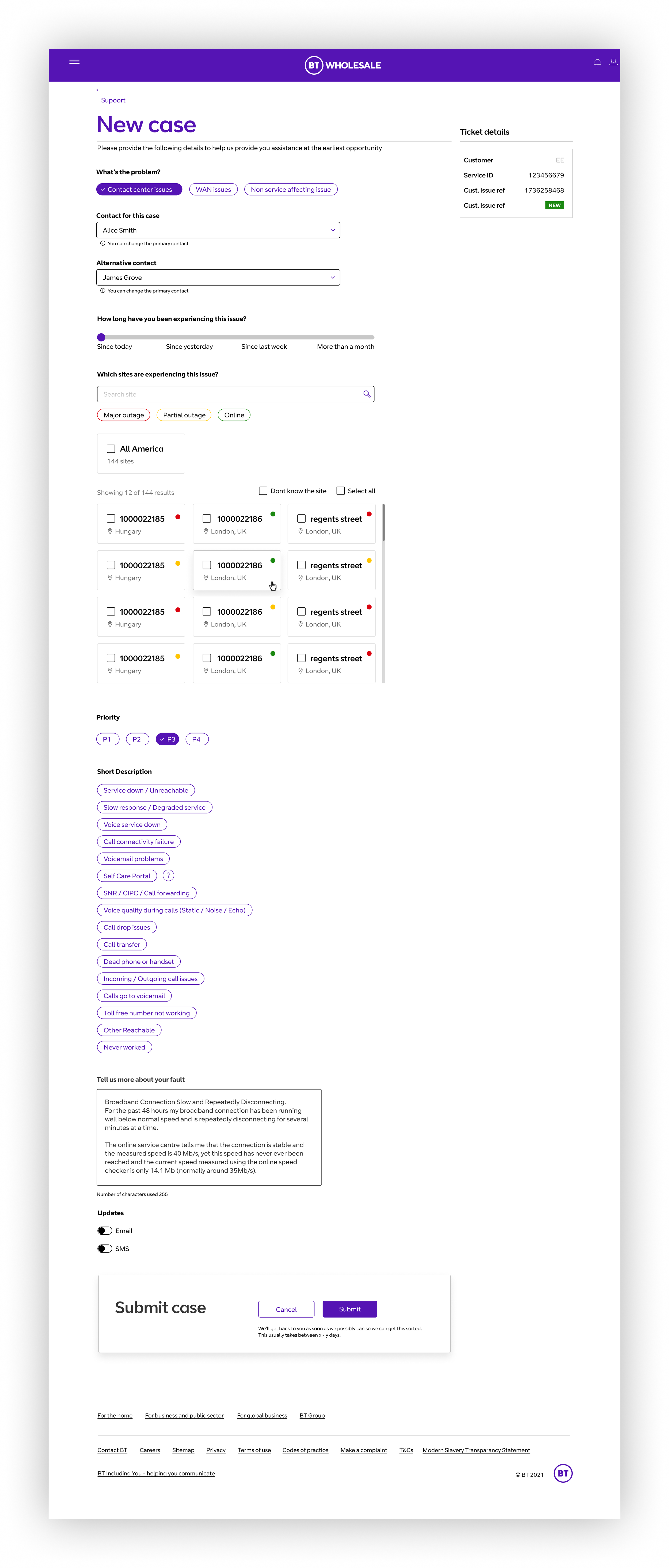
05/NEXT STEPS
Before we started feeding the tool into development, we worked closely with the UX writing team to ensure that we had grasped the correct tone of voice. We provided clear notes in figma for the ux writers to review.
01/UX Writer adjustments
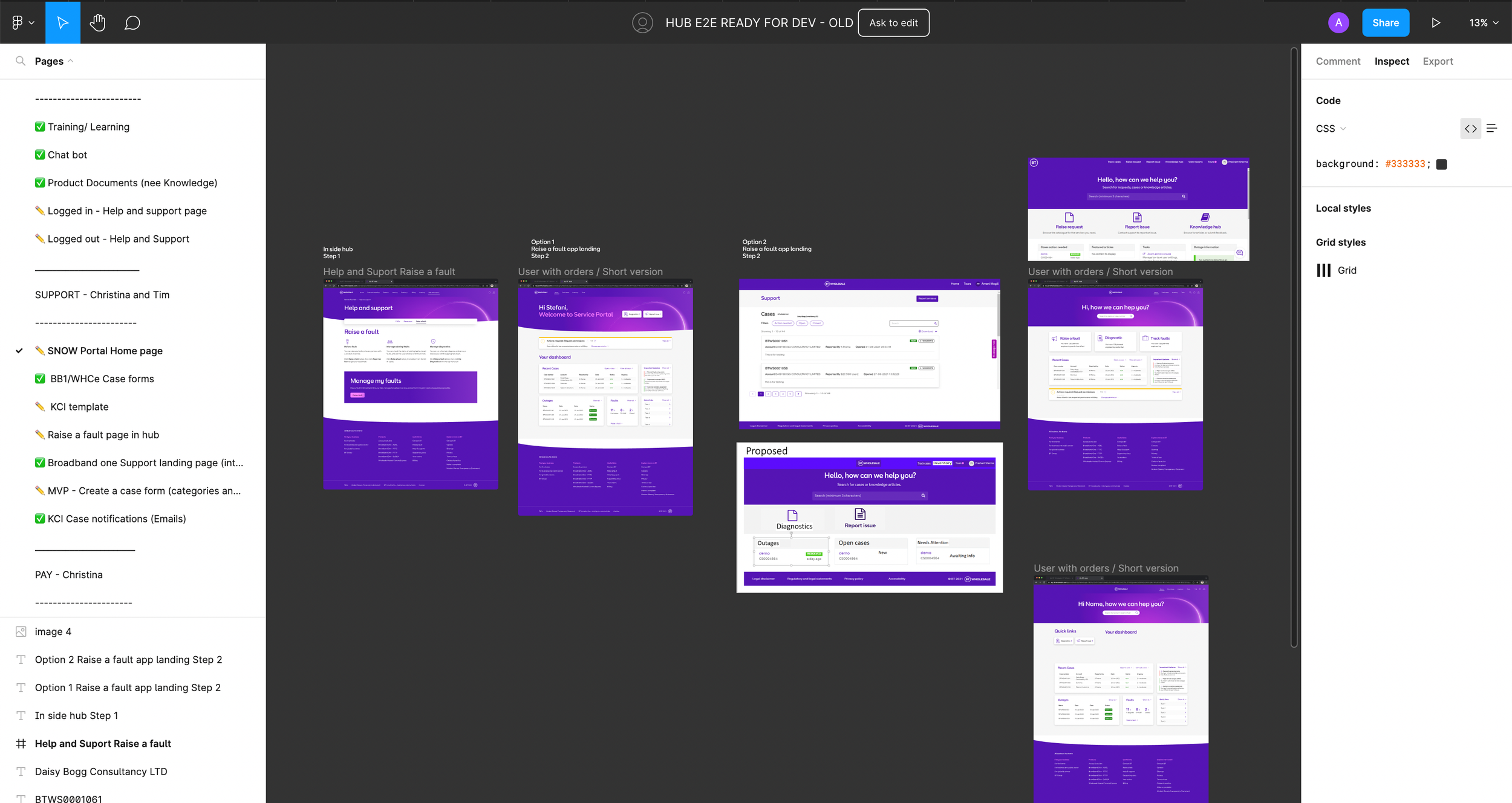
We intend to implement A/B testing on our two prototypes.
Two different versions of the designs will be presented to users at random, with each version being shown to a separate group of users. We’ll look at the users response to variations of colours, different infographics, as well as differing messaging.
The performance of each version will then be measured by tracking user behavior, such as the number of clicks, time spent on the page, or conversion rates as well as written and recorded feedback on easy it was to understand how energy saving calculations have been made and are presented.
02/ (A/B) Testing
Once we have established which version to put into development, I will work closely with UI to ensure that Figma files are presented clearly with detailed notes to assist the developers build phase.
03/ Handover
04/ Ongoing user engagement and monitor performance
Once the tool has been launched the team will continue to monitor user feedback and make adjustments as needed to ensure the design continues to meet the needs and expectations of our users.